Create Speaker Is Paywalled, but the API Still Has a Free Tier: Voice Cloning with Gemini 3.8 Flash TTS

Create Speaker in AI Studio won’t open unless you pay. I stared at that wall for a moment, then took a different route: calling the Gemini 3.8 Flash TTS API directly.
Same official Voice Replication, but while the browser UI is gated, the API still carries a free allowance — community testing puts it at roughly 10 generations a day (your account’s actual rate limit is what counts). The bigger surprise: with a Taiwanese Mandarin style prompt, the accent came out more natural than I expected.
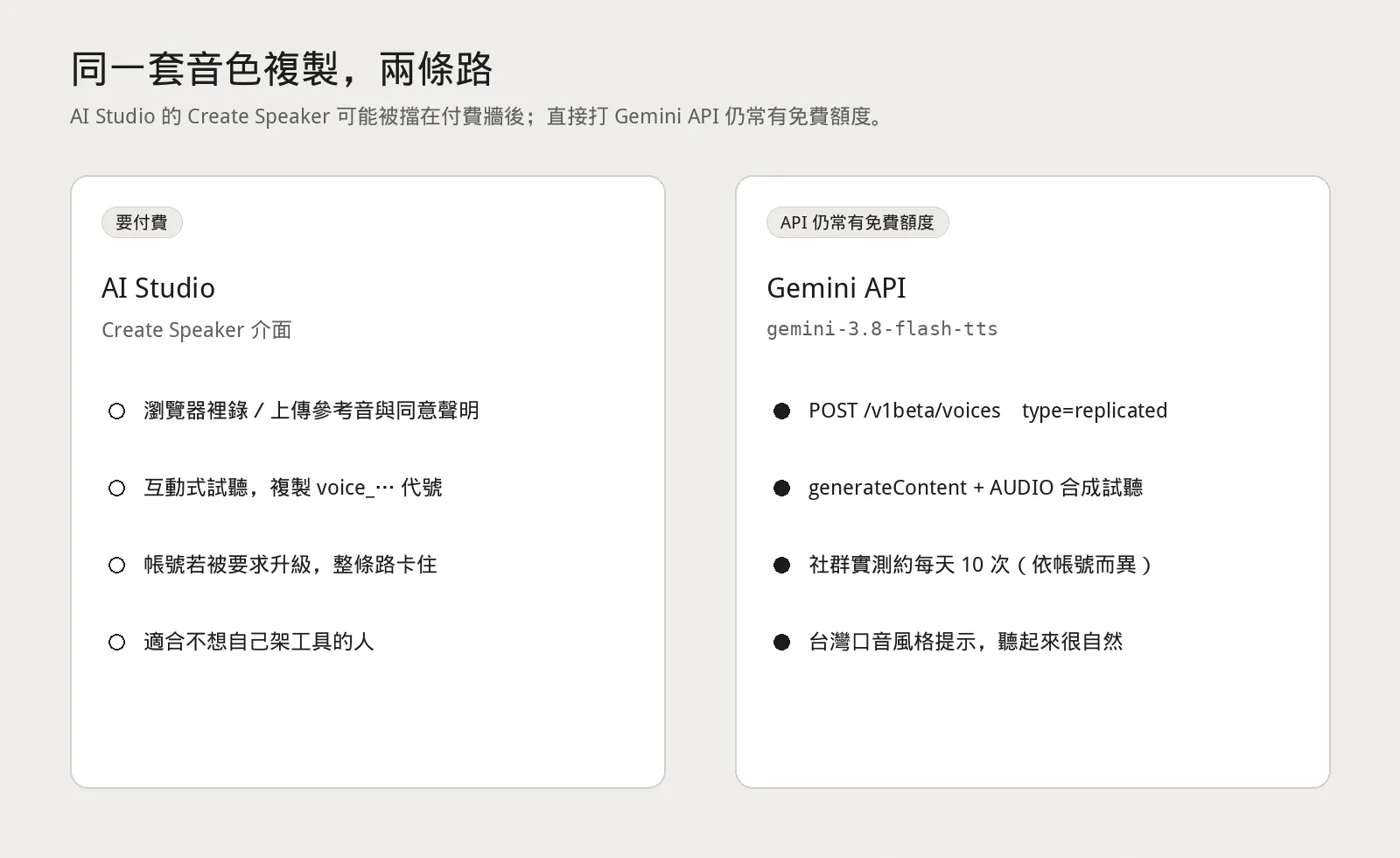
So this post isn’t “go buy yet another TTS subscription.” It’s: how the official docs route works, what tool I wrapped the flow into, and a side-by-side sample of my own voice.
The Open-Source Tool: Create Speaker on Your Own Machine
I packaged the official flow into a local web tool:
github.com/dAAAb/gemini-3.8-flash-tts-voice-clone
What it does is simple — you paste your own API key from Google AI Studio, upload a reference clip and a consent clip, type the text you want spoken, and it makes the calls for you:
| Step | What it does |
|---|---|
| Clone | POST /v1beta/voices, type=replicated |
| Speak | generateContent, response_modalities=["AUDIO"] |
| Model | Defaults to gemini-3.8-flash-tts (switchable to Lite) |
Your key, uploads, output WAVs, and local speaker profiles all stay on your machine — none of that lives in the repo. This matters: voice files and API keys do not belong in git.
The Official Flow Wants Two Recordings, Not One
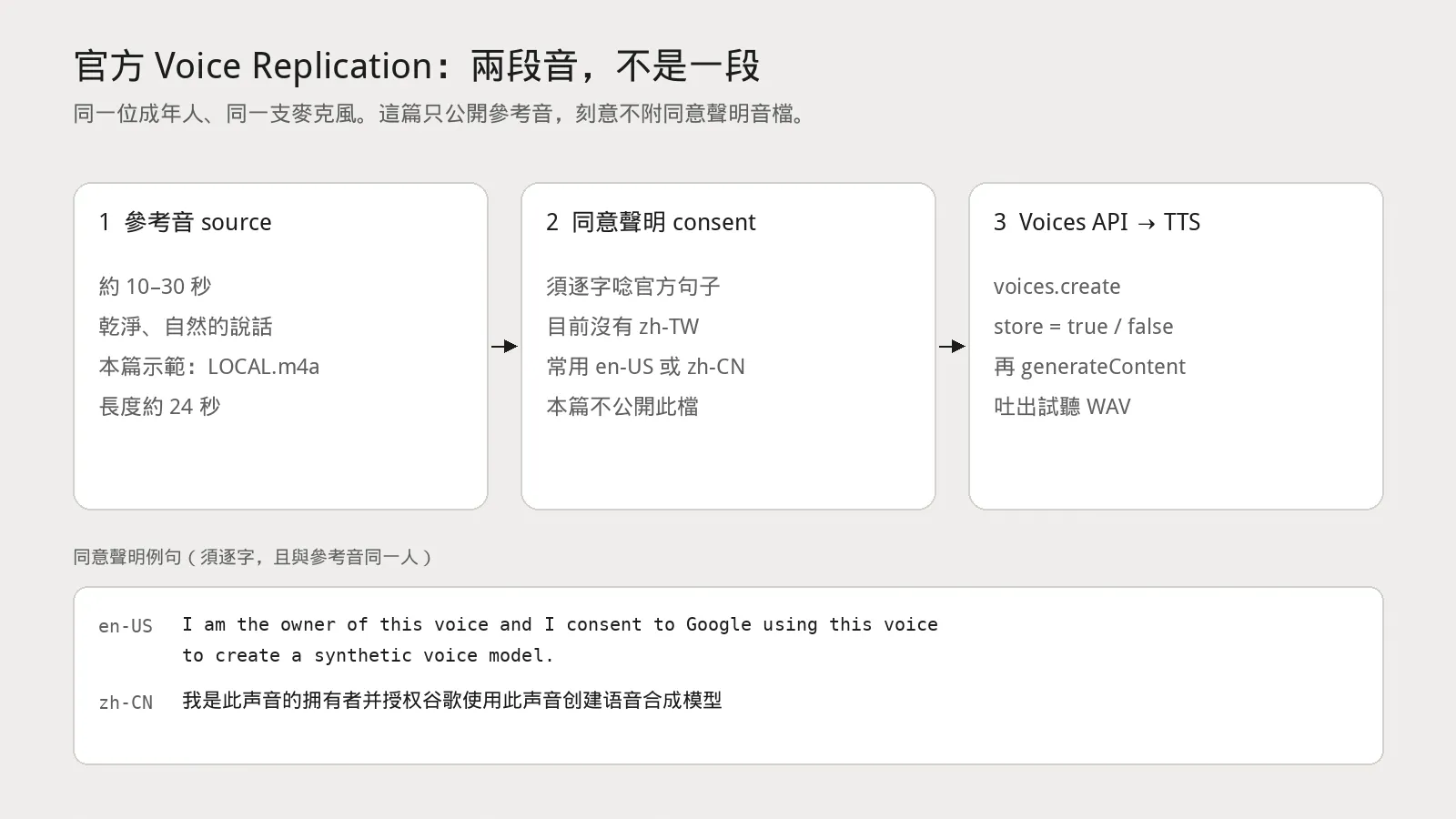
The docs are explicit. Every CreateVoice call requires two human recordings from the same adult (recommended format: 24 kHz mono 16-bit WAV):
- Reference audio
source_audio: about 10–30 seconds of clean, natural speech. - Consent statement
consent_audio: the same person reading the official sentence word for word.
Only the reference audio is published in this post. I’m deliberately withholding the consent recording — it exists so Google can verify “you own this voice,” and it shouldn’t circulate publicly.
You’ll occasionally see a shortcut floating around the community: “just drop in one clip and chat with the model.” That’s a different multimodal conversation path — it is not official Voice Replication. This tool follows the documented route: two recordings plus the Voices API.
Right now the consent-statement locale table has no zh-TW. The pragmatic move for Taiwanese users is to read the en-US sentence clearly (or use the zh-CN Simplified Chinese one), then apply a Taiwanese Mandarin style prompt at synthesis time. The official English sentence is:
I am the owner of this voice and I consent to Google using this voice to create a synthetic voice model.
And the Simplified Chinese one:
我是此声音的拥有者并授权谷歌使用此声音创建语音合成模型
Record both clips with the same microphone in the same room. The docs also warn that background noise, echo, music, and overlapping voices all degrade verification or clone quality.
Listen First: My Reference Audio vs. the Cloned Result
The reference is my own recording, LOCAL.m4a, about 24 seconds. The clone is the WAV that Gemini 3.8 Flash TTS produced, about 6 seconds.
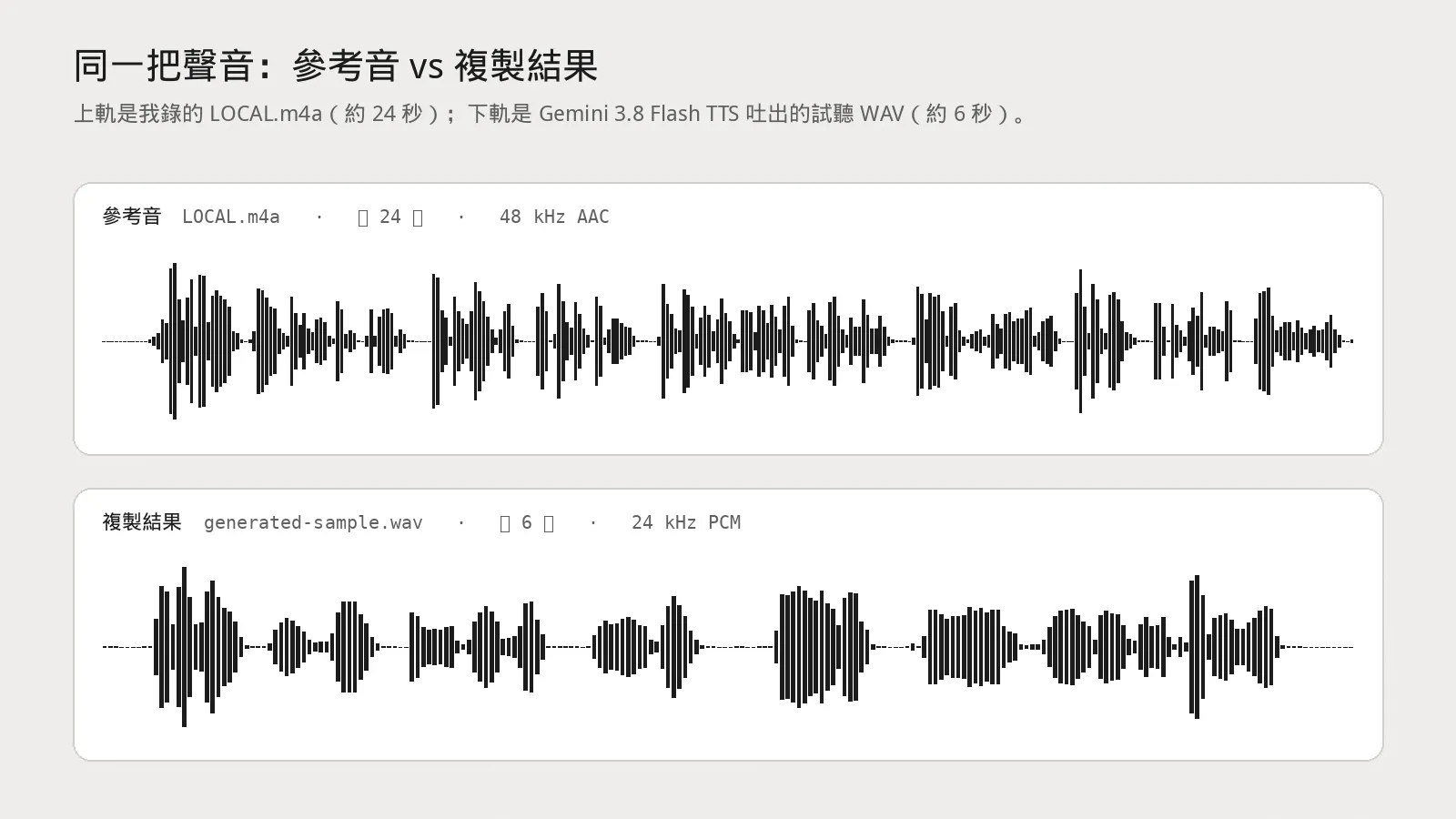
Reference audio (LOCAL.m4a, ~24 seconds)
Cloned result (generated-sample.wav, ~6 seconds)
My verdict is entirely subjective: the timbre sticks, and the Taiwanese accent didn’t get dragged across the strait. For a free allowance, this quality is good enough for agent narration, read-aloud legislative notes, or a first draft of my own digital twin.
How to Run It
You need Python 3.10+ and ffmpeg / ffprobe on your PATH.
git clone https://github.com/dAAAb/gemini-3.8-flash-tts-voice-clone.git
cd gemini-3.8-flash-tts-voice-clone

python3 -m venv .venv
source .venv/bin/activate
pip install -r requirements.txt

# Optional: put your key in .env — do not commit it
cp .env.example .env

python app.py
Open http://127.0.0.1:7860 in your browser, paste your API key, upload the reference and consent clips, type the text, and hit generate. Previews and downloads land in the local outputs/ directory.
The key can also live only in the browser’s localStorage; never write it into the repo, a screenshot, or a chat log.
Read These Limits Before You Use It
- The quota is small. Free-tier TTS / Voice Replication typically lands around 10 generations per day. Check your actual numbers at AI Studio → Usage & Billing → Rate limits. Decide what you want spoken before you hit generate.
- No Taiwan Traditional Chinese in the consent locales. The table currently lists
en-US,zh-CN, and others — nozh-TW. That doesn’t mean synthesis can’t use a Taiwanese accent; it only means the verification sentence has to go through a supported locale. - Keys, voice files, and profiles never go into git.
.env, reference audio, consent audio, output WAVs, and local profiles (which may contain voice IDs) should all stay on your machine. This post doesn’t publish any of them either. - Get lawful consent. Only clone voices you own and are legally entitled to license. Cloning someone else’s voice without consent is a legal problem, not a technical one. Follow Google’s terms and your local laws.
Official docs: Gemini 3.8 Flash TTS and Voice replication.
Wrapping Up
The paywall blocks the AI Studio button, not the API itself. The free allowance is small, but it’s enough to prove one thing: official Voice Replication plus a Taiwanese accent prompt can already produce a sample I’m comfortable playing for everyone.
The tool lives here: dAAAb/gemini-3.8-flash-tts-voice-clone. MIT licensed — your key, your voice, your machine.